Genaray RSF-11-R Bedienungsanleitung
Genaray Fernbedienung RSF-11-R
Lies die bedienungsanleitung für Genaray RSF-11-R (2 Seiten) kostenlos online; sie gehört zur Kategorie Fernbedienung. Dieses Handbuch wurde von 17 Personen als hilfreich bewertet und erhielt im Schnitt 4.5 Sterne aus 6 Bewertungen. Hast du eine Frage zu Genaray RSF-11-R oder möchtest du andere Nutzer dieses Produkts befragen? Stelle eine Frage
Seite 1/2
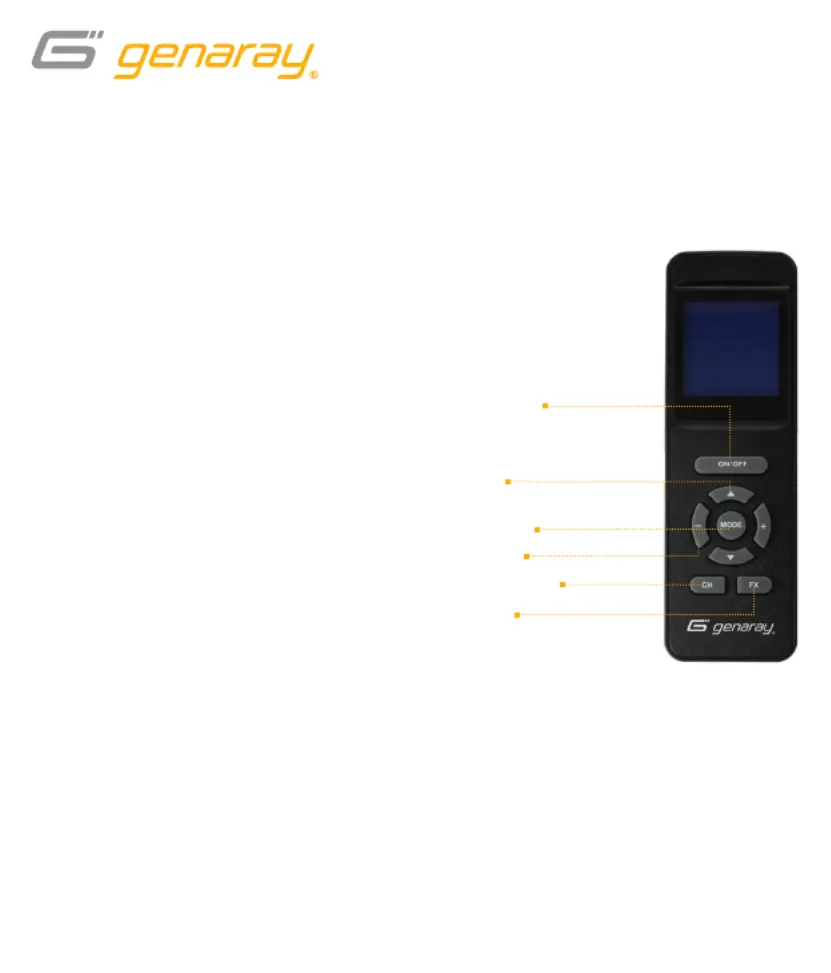
Press the up anddownbuttons to select
the adjustable values in CCT and RGB
modes, and to set the channel.
Once a value is highlighted, press the
– and+buttons to adjust the selected value.
Mode Button
Press toggle between CCT and RGB modes.
Channel Button
In a multi-light setup, channel selection lets
you control lights individually or in groups.
· Press to highlight the current
channel selection.
· Use the – and + buttons
to select a channel.
· Press the channel button again to
accept and set the channel selection.
On/Off Button
· Press and hold to put the Mini Moon
RGB to sleep without powering it off.
· Press again to resume operation.
FX Button
Press to enter FX mode and begin
playing the selected effect.
· Pressing the FX button in CCT mode
will open a list of effects that use
variations of color temperature.
· Pressing the FX button in RGB mode
will open a different list of effects that
use the Mini Moon’s RGB LEDs.
Wireless Remote for the Genaray Mini Moon RGB
RSF-11-R
On/Off button
(sleep mode)
FX button
Up/down
buttons
+/− buttons
Mode button
Channel button
Produktspezifikationen
| Marke: | Genaray |
| Kategorie: | Fernbedienung |
| Modell: | RSF-11-R |
Brauchst du Hilfe?
Wenn Sie Hilfe mit Genaray RSF-11-R benötigen, stellen Sie unten eine Frage und andere Benutzer werden Ihnen antworten
Bedienungsanleitung Fernbedienung Genaray

17 Juni 2025
17 Juni 2025
16 Juni 2025
29 Juli 2024
19 Dezember 2023
25 Juni 2023
Bedienungsanleitung Fernbedienung
Neueste Bedienungsanleitung für -Kategorien-
21 März 2026
17 März 2026
14 März 2026
6 März 2026
2 März 2026
1 März 2026
26 Februar 2026
26 Februar 2026
16 Februar 2026
27 Januar 2026