SPT SM-1025C Bedienungsanleitung
SPT Nicht kategorisiert SM-1025C
Lies die bedienungsanleitung für SPT SM-1025C (2 Seiten) kostenlos online; sie gehört zur Kategorie Nicht kategorisiert. Dieses Handbuch wurde von 22 Personen als hilfreich bewertet und erhielt im Schnitt 4.5 Sterne aus 4 Bewertungen. Hast du eine Frage zu SPT SM-1025C oder möchtest du andere Nutzer dieses Produkts befragen? Stelle eine Frage
Seite 1/2
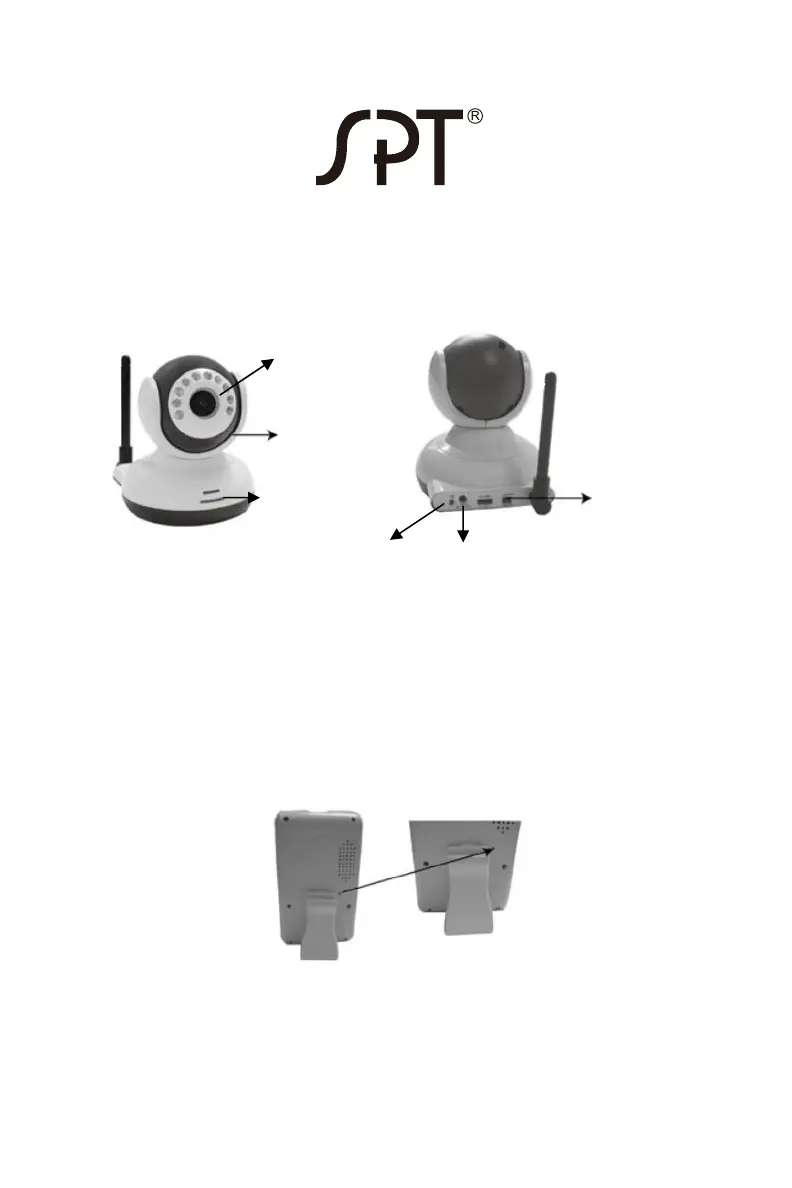
SM-1025C: Camera for use with SM-1024K receiver
2.4G wireless camera
PAIRING ADDITIONAL CAMERAS TO YOUR RECEIVER
1. Insert adapter to DC port and connect to wall outlet or insert 3 AAA
batteries into the battery compartment.
2. Remove the protective lens cap from the camera.
3. Turn on the monitor and select the next available channel by using
the right arrow key. LCD will display CH2 or CH3 or CH4.
4. Use pin to depress the paring key located on the back of monitor.
The power indicator will flicker.
5. Press and hold the power button on the camera until picture appears
on the monitor. (Red LED will illuminate and power indicator on the
monitor will stop to flicker).
Note: keep camera at least 3 feet away from receiver to prevent acoustic
feedback.
POWER button:
press and hold for
5 seconds to turn
on/off camera
Power indicator
IR night light
Speaker
Lens
DC port
Produktspezifikationen
| Marke: | SPT |
| Kategorie: | Nicht kategorisiert |
| Modell: | SM-1025C |
Brauchst du Hilfe?
Wenn Sie Hilfe mit SPT SM-1025C benötigen, stellen Sie unten eine Frage und andere Benutzer werden Ihnen antworten
Bedienungsanleitung Nicht kategorisiert SPT

5 Januar 2026
7 Dezember 2025
4 Dezember 2025
4 Dezember 2025
3 Dezember 2025
15 August 2024
15 August 2024
13 August 2024
12 August 2024
2 Februar 2024
Bedienungsanleitung Nicht kategorisiert
Neueste Bedienungsanleitung für -Kategorien-
3 April 2026
3 April 2026
3 April 2026
3 April 2026
3 April 2026
3 April 2026
3 April 2026
3 April 2026
3 April 2026
3 April 2026