Studio Technologies Model 5536 Bedienungsanleitung
Studio Technologies Nicht kategorisiert Model 5536
Lies die bedienungsanleitung für Studio Technologies Model 5536 (5 Seiten) kostenlos online; sie gehört zur Kategorie Nicht kategorisiert. Dieses Handbuch wurde von 10 Personen als hilfreich bewertet und erhielt im Schnitt 5.0 Sterne aus 7 Bewertungen. Hast du eine Frage zu Studio Technologies Model 5536 oder möchtest du andere Nutzer dieses Produkts befragen? Stelle eine Frage
Seite 1/5
50854-1125, Issue Preliminary 2
Key Features
•Compact unit supports one on-air location
•Microphone preamplifier with selectable gain and P48 power
•One main and six talkback output channels
•User-controlled headphone mixing
•Superior audio quality and extensive feature configuration
•SMPTE ST 2110 audio-over-Ethernet technology support
•SMPTE ST 2022-7 Redundant Stream capability
•Independent management Ethernet interface
•Dual PoE and 12 Vdc powering
•Supports REMI/At-Home applications
Introduction
The Model 5536 Announcer’s Console provides a combination
of high-performance analog and digital audio capability with an
extensive set of user features and configurable resources. The
unit supports the SMPTE
®
ST 2110 suite of standards to imple-
ment audio-over-Ethernet networking connectivity. For enhanced
network reliability, redundant stream performance, following
the ST 2022-7 standard, is also supported. The Model 5536 is
intended for use in demanding broadcast sports, eSports, live
event, entertainment, and streaming broadcast applications.
Requiring only minimal connections for deployment, the Model
5536 can provide one on-air talent with all the resources they
need to support a wide range of applications. The compact,
rugged enclosure is intended for tabletop use, small enough for
use “court-side” or in a crowded booth, yet flexible enough for
numerous remote production scenarios.
The Model 5536 integrates directly into ST 2110 environments.
With just a PoE Ethernet (Power-over-Ethernet) Gigabit network
connection, a microphone, and a pair of headphones, a complete
broadcast on-air position can be created. With the addition of
a second Ethernet connection, enhanced ST 2110 performance
can be achieve using the ST 2022-7 Redundant Streams stan-
dard. An independent Gigabit network interface provides access
to the Model 5536’s management webpages. This allows full
separation of audio transport and management functions.
Ten ST 2110 receiver (input) channels and an integrated sidetone
function allow users to easily create their desired headphone
audio mix. They’ll enjoy clear and “click-free” monaural or stereo
audio that should help their on-air performance. An eleventh
ST 2110 receiver (input) channel allows an alternate microphone
audio source to be supported.
The Model 5536 provides ten ST 2110 sender (output) audio
channels. One channel is used for the main output, one serves
as a configurable auxiliary output channel, and two provide a
digital audio version of the headphone output. The remaining
six sender (output) channels allow users to communicate (“talk-
back”) with a variety of support personnel. The range of Model
5536 operating capabilities includes the ability to create talent
cue (IFB) channels. This resource was specifically included for
REMI/At-Home applications.
The Model 5536 was designed to meet three main goals:
support ST 2110 standards, provide great audio quality, and
offer simple use and an extensive set of configurable features.
The Model 5536 uses the ZMAN module from Merging Tech-
nologies to provide its ST 2110 capabilities. By partnering with
Merging Technologies, Studio Technologies is able to offer solid
ST 2110 performance that’s been field-proven over many years.
On-going development efforts have led to a continuous stream
of ST 2110 improvements.
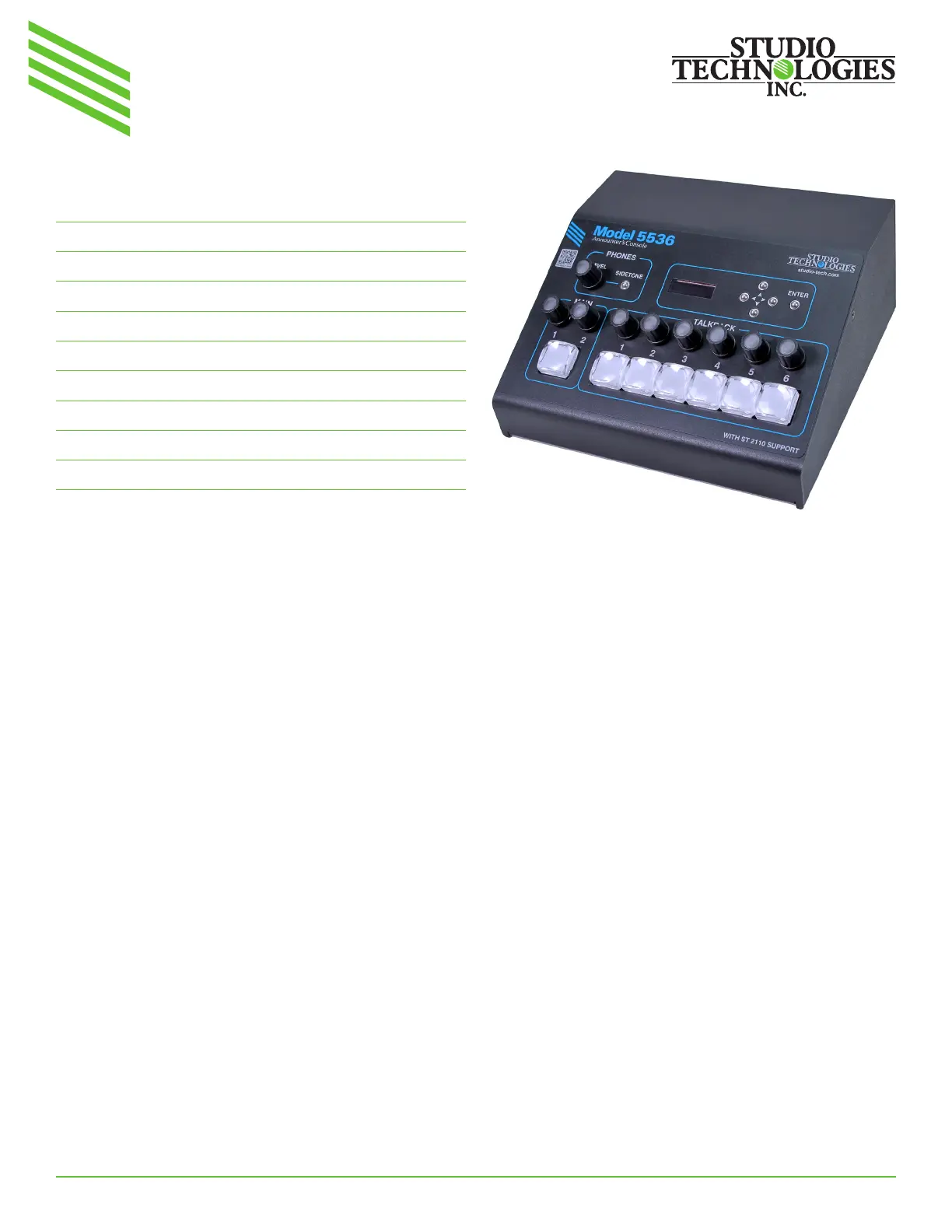
Model 5536 Announcer’s Console
Featuring ST 2110 Technology
Model 5536 Announcer’s Console Top View
Produktspezifikationen
| Marke: | Studio Technologies |
| Kategorie: | Nicht kategorisiert |
| Modell: | Model 5536 |
Brauchst du Hilfe?
Wenn Sie Hilfe mit Studio Technologies Model 5536 benötigen, stellen Sie unten eine Frage und andere Benutzer werden Ihnen antworten
Bedienungsanleitung Nicht kategorisiert Studio Technologies

29 März 2026
28 März 2026
28 März 2026
27 März 2026
24 März 2026
24 März 2026
24 März 2026
24 März 2026
23 März 2026
23 März 2026
Bedienungsanleitung Nicht kategorisiert
Neueste Bedienungsanleitung für -Kategorien-
3 April 2026
3 April 2026
3 April 2026
3 April 2026
3 April 2026
3 April 2026
3 April 2026
3 April 2026
3 April 2026
3 April 2026