Giga Copper G4201TM Bedienungsanleitung
Giga Copper Nicht kategorisiert G4201TM
Lies die bedienungsanleitung für Giga Copper G4201TM (5 Seiten) kostenlos online; sie gehört zur Kategorie Nicht kategorisiert. Dieses Handbuch wurde von 94 Personen als hilfreich bewertet und erhielt im Schnitt 4.6 Sterne aus 3 Bewertungen. Hast du eine Frage zu Giga Copper G4201TM oder möchtest du andere Nutzer dieses Produkts befragen? Stelle eine Frage
Seite 1/5
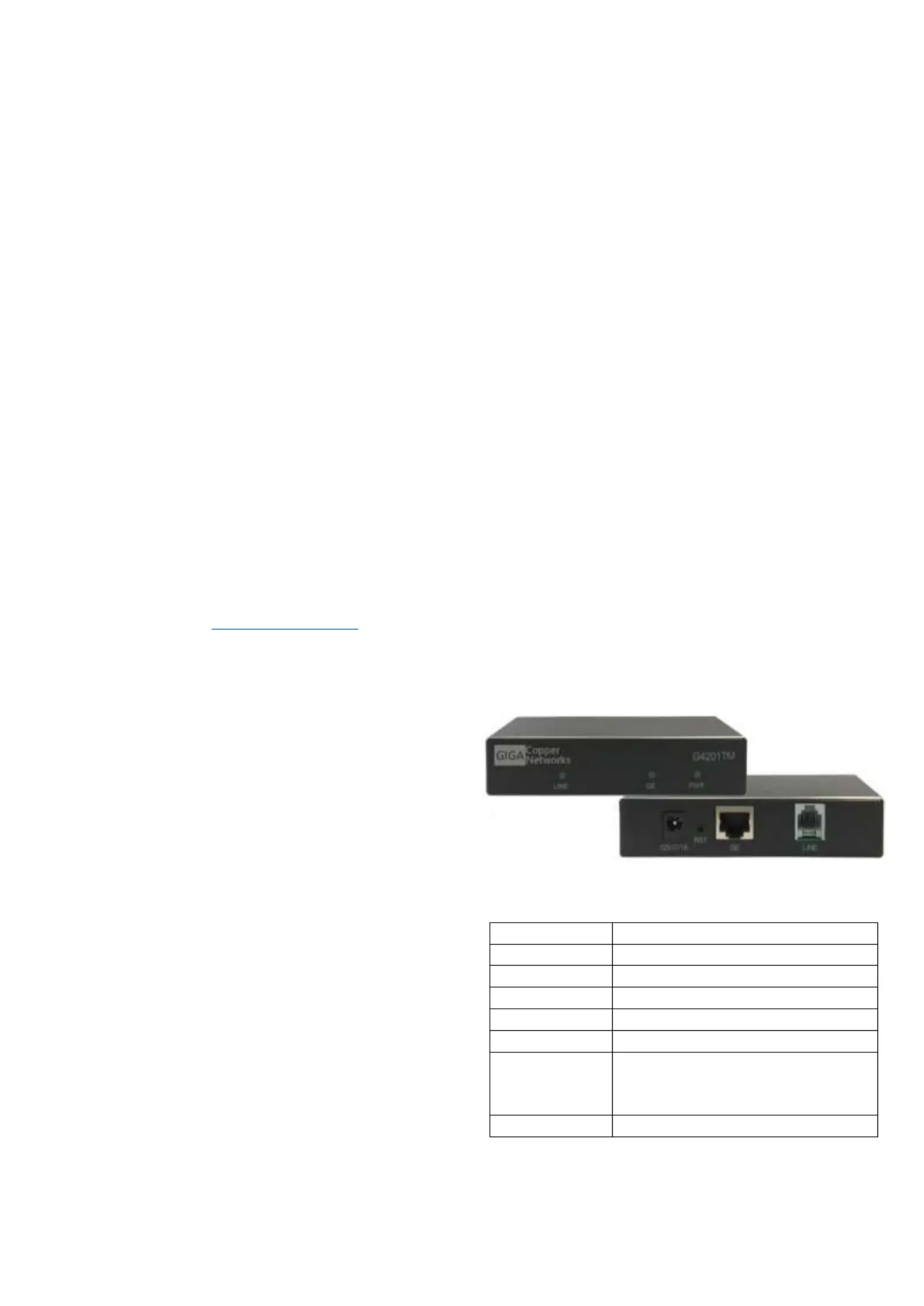
G4201TM
G.hn Master and Client
Quick start guide
For further informaon and purchase enquiries
please contact [email protected]
1.Introducon
With the G.hn modem G4201TM you can easily extend
your network via exisng data and telephone cables.
The devices are also suitable for the distribuon of ber
opc connecons from the ONT to the router via exisng
telephone line.
The modem can use any type of cable - both twisted pair
and non-twisted pair - for data transmission and
achieves a speed of approx. 1500 Mbit/s (sum of both
transmission direcons).
The devices are always connected in pairs - a master and
a client. The master determines how fast the data is
transferred towards the client and back
(download/upload).
In networks with several clients, a G.hn switch can be
used instead of several master modems (see
Installaon). This enables the central administraon of
all G.hn components.
2.Package content
G420M Master or G4201TM Client 1T
DC-12V/1A Power adapter
RJ11/RJ11 telephone cable , 4- wire (SISO and MIMO) 1.5m
TAE-F/RJ11 , 4- pole (SISO and MIMO) plug
3.Technical data
Dimensions: 111.5 * 83 * 24.5 mm
Weight: 0,19 kg
Operang temperature: 0°C - 40°C
Power consumpon: < 3 Wa
4.G.hn Specicaon
G.hn Wave2, 2-200 MHz
Connecon type: SISO (1 wire pair, 2-200MHz) and
MIMO (2 wire pairs, 2-MHz) 100
Total bandwidth ca. 1500 Mbit/s –
(Total Download and Upload)
Spling of the bandwidth variabledefault: –,
70% Download (from master client) to
30% Upload (from client master) to
Maximum permissible aenuaon of the cable
connecon: 75dB
5.Interfaces
Panel and LED descripon
Labelling
Descripon
12V DC
Power input
RST
Recessed reset buon (15 Sec .)
LINE
G.hn port
GE
Gigabit Ethernet Port
PWR LED
Displays power availability
LINE LED
Status of the G.hn connecon
(Green - OK, Yellow - weak signal,
O - no connecon)
GE LED
Ethernet Connecon Status
Produktspezifikationen
| Marke: | Giga Copper |
| Kategorie: | Nicht kategorisiert |
| Modell: | G4201TM |
Brauchst du Hilfe?
Wenn Sie Hilfe mit Giga Copper G4201TM benötigen, stellen Sie unten eine Frage und andere Benutzer werden Ihnen antworten
Bedienungsanleitung Nicht kategorisiert Giga Copper

30 August 2024
30 August 2024
Bedienungsanleitung Nicht kategorisiert
Neueste Bedienungsanleitung für -Kategorien-
3 April 2026
3 April 2026
3 April 2026
3 April 2026
3 April 2026
3 April 2026
3 April 2026
3 April 2026
3 April 2026
3 April 2026