Kraken Sports Smart Housing 2.0 Bedienungsanleitung
Kraken Sports Kamera Smart Housing 2.0
Lies die bedienungsanleitung für Kraken Sports Smart Housing 2.0 (2 Seiten) kostenlos online; sie gehört zur Kategorie Kamera. Dieses Handbuch wurde von 38 Personen als hilfreich bewertet und erhielt im Schnitt 5.0 Sterne aus 7 Bewertungen. Hast du eine Frage zu Kraken Sports Smart Housing 2.0 oder möchtest du andere Nutzer dieses Produkts befragen? Stelle eine Frage
Seite 1/2
Smart Housing 2.0
USER MANUAL
Please read the manual carefully before using the Kraken Smart Housing
◆ Overview
Kraken Smart Housingis a versatile
housing that will fit many smart phones,
regardless of iOS or Android operating
system. If your phone fits, it will work!
Simply ensure Bluetooth is turned on in
your device, connect to the Kraken Smart
Housingapp and put the phone into the
housing! Confirm the housing is protected
by using the vacuum sealing system, then
enjoy your dive!
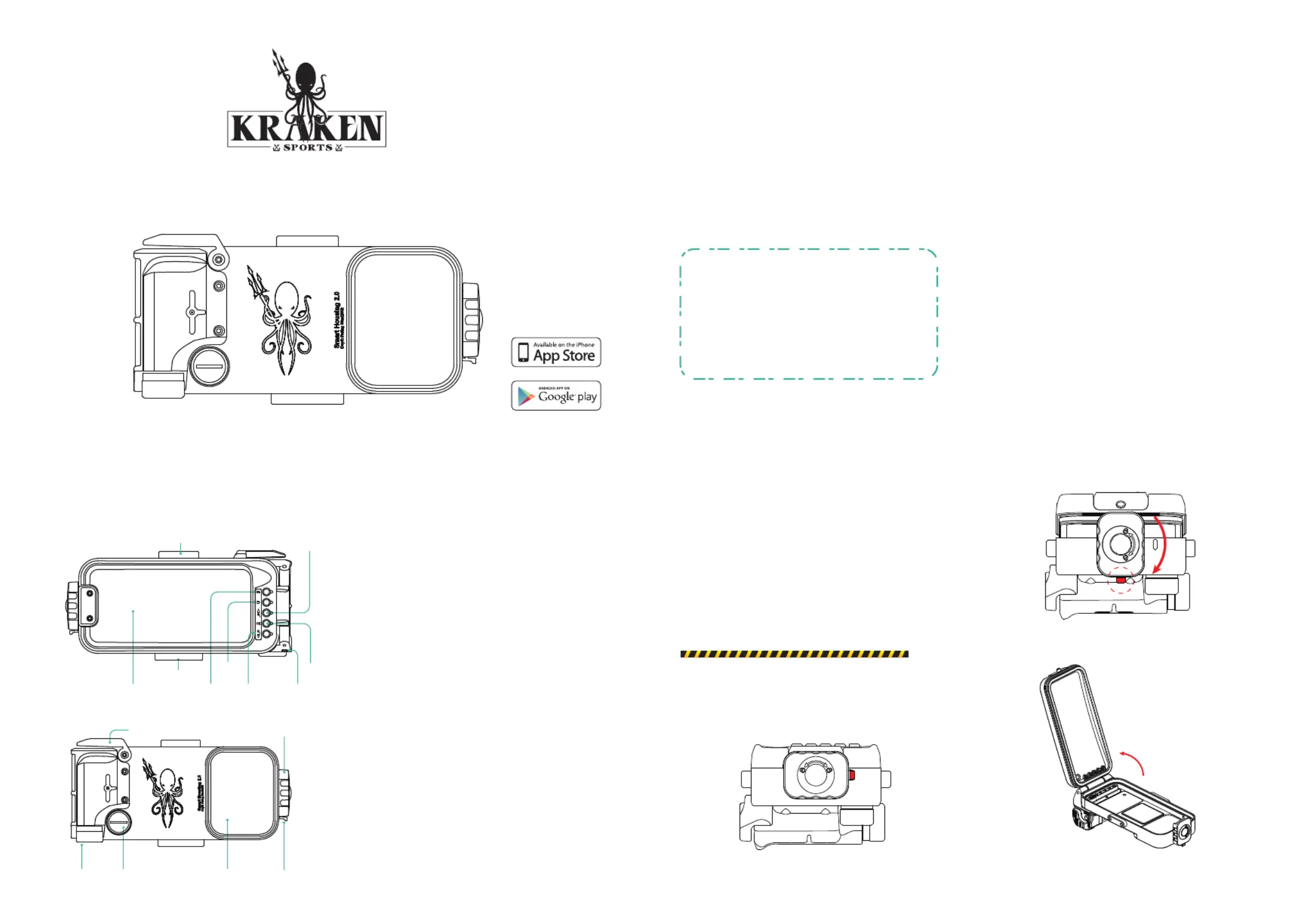
Tripod Mount
DOWN/
ZOOM OUT
UP/
ZOOM IN
Vacuum Port
Lens Window
Shutter
Window
Battery Cap
BACK
Latch
Fn
Rear Panel
Front Panel
1. Smart Housing x 1pcs
2. Spare O-ring for Rear Cover x 1pcs
3. Spare O-ring for Battery Cap x 1pcs
4. Black Lanyard x 1pcs
5. Battery x 1pcs
6. Pump x 1pcs
7. Charging Cable with Type C-Type C x 1pcs
8. Charging Cable for iPhone x 1pcs
9. Charging Cable for battery x 1pcs
10. Round key for vacuum cap x 1pcs
With built-in depth detector
Smart Housing Pro 2.0 (KRH07)
Without depth detector
Smart Housing 2.0(KRH08)
◆ Open / Close Kraken Smart Housing
To open:
1. Pull out the Latch as shown in diagram“a”.
2. Turn the Dial Lock clockwise as shown in diagram
"b".
3. Open the housing as shown in diagram "c".
To close:
Turn the Dial Lock counterclockwise to its original
position.
Warning!
Make sure that the Latch has returned to the locked
position.
◆ Product Description
<a>
<b>
<c>
◆ Package
【Shutter】Button:
- Turn on the device.
- Photo mode - captures a photo.
- Video mode - starts and stops recording.
【Charging ON/OFF】Button:
-Turn on and turn off the 5V charging power supply.
【BACK】Button:
- Return to the previous menu.
【Fn】Button:
- Switch the focus mode between Locked and Auto.
- Press and hold buttons “Fn ”and “DOWN”
simultaneously to rurn off the power of housing.
【UP/ZOOM IN】Button:
- Select previous menu item.
- Camera zoom in.
【OK】Button:
- Confirm the selection and enter the menu
【DOWN/ZOOM OUT】Button:
- Select next menu item.
- Camera zoom out.
M6 Thread
Lanyard Hole
OK
Dial Lock
Produktspezifikationen
| Marke: | Kraken Sports |
| Kategorie: | Kamera |
| Modell: | Smart Housing 2.0 |
Brauchst du Hilfe?
Wenn Sie Hilfe mit Kraken Sports Smart Housing 2.0 benötigen, stellen Sie unten eine Frage und andere Benutzer werden Ihnen antworten
Bedienungsanleitung Kamera Kraken Sports

27 August 2025
27 August 2025
Bedienungsanleitung Kamera
Neueste Bedienungsanleitung für -Kategorien-
29 März 2026
28 März 2026
25 März 2026
23 März 2026
22 März 2026
22 März 2026
19 März 2026
13 März 2026
13 März 2026
11 März 2026